 General Clumsy
System requirements
General Clumsy runs on Windows, macOS and Linux, and can also be played with a gamepad; Valve's Steam Deck verification is still to come. Minimum requirements:
| Windows | macOS | Linux | |
|---|---|---|---|
| OS | Windows 10 or 11, 64-bit | macOS 11 Big Sur or later | 64-bit, glibc 2.31 or later |
| Processor | x86-64 | Apple Silicon or Intel | x86-64 |
| Graphics | DirectX 12 or Vulkan | Metal | Vulkan |
| Memory | 2 GB | ||
| Storage | 100 MB | ||
| Controls | Keyboard and mouse, or gamepad | ||
| Network | Internet for online play only | ||
The HQ: the home screen
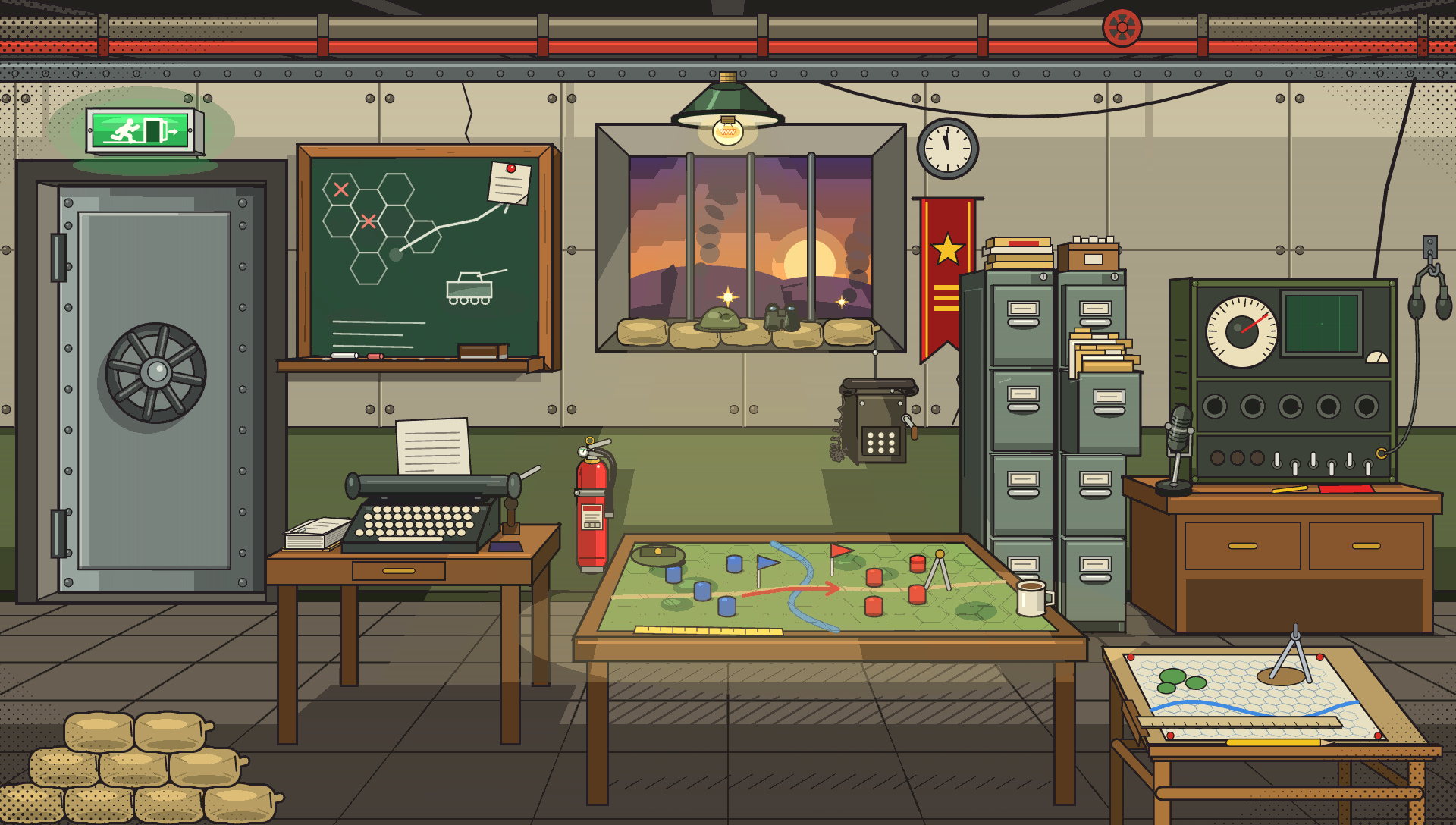
The game opens in your headquarters. Every object in the room is a menu entry: hover over it, or browse them with the arrow keys.
- Operations table
- New game: against the computer, on a local network or online, missions, campaign and tutorial.
- Window
- Continue: back to the front.
- Typewriter
- Save the game.
- Archives
- Load a game.
- Radio set
- Settings.
- Blackboard
- Help: controls and rules.
- Drafting table
- Map editor.
- Armored door
- Quit.
Your first turn, step by step
-
Pick a unit
Left click on one of your units. The tiles it can reach light up. A unit that has not received any order yet blinks on the ground: that is your to-do list.
-
Move
Left click on a lit tile. Each step costs action points: the road is half as expensive as grassland, forest and hill cost one and a half times as much. A unit down to half its hit points pays double for every step.
-
Fire
Left click on an enemy in range. A shot costs half the action points. After moving, range drops by half; but firing then falling back costs nothing. The right reflex: shoot first, move afterward.
-
Give other orders
Right click on a unit opens its actions: Overwatch, Patrol, Board, Resupply, Build, Heal, Land… U undoes the last action if you made a mistake.
-
End turn
Tab, or the “End turn” button at the top left. Units with breath left can stay on overwatch: they keep their shot for the enemy turn and hit whatever moves within range. The enemy plays, then it is your turn again, two hours later.
Your starting regiment
In a free game, each side lines up one to four regiments along its edge of the map. Each one deploys on four lines, from front to rear, with a finished barracks behind it:
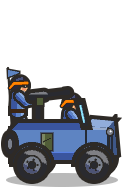 Vanguarda scout, who spots the enemy before anyone else
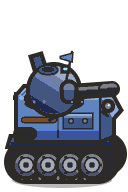 Fronta light tank flanked by two infantry squads
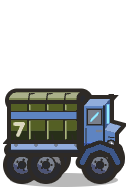 Transporttwo trucks, ready to carry the front line
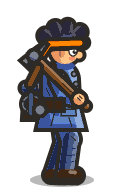 Reara mortar and an engineer
The engineer is your most precious unit: only he builds the factory, the refinery, the depot… and takes victory points. Protect him.
Controls
Keyboard and mouse
- Left click
- command a squad
- Shift + click
- select several units
- Right click
- actions
- Wheel
- zoom
- Arrows / ZQSD
- scroll the map
- Enter / Space
- confirm
- Esc
- menu or back
- Tab
- end the turn
- U
- undo the action
Gamepad
- Left stick
- move the cursor
- A
- command a squad
- LT + A
- select several units
- X
- actions
- LB / RB
- zoom
- Right stick / D-pad
- scroll the map
- RT
- fire
- Y
- end the turn
- Select
- undo the action
- B / Start
- menu or back
- Menus
- D-pad to choose, A to confirm, B to go back
These are the default keys and buttons: each one can be changed in the settings, Controls tab, where the mouse can also be swapped for left-handers.
Ten veteran tips
Scout before you advance
The scout sees 10 tiles, the drone operator 12 with his surveillance drone. Advancing blind means offering your units to overwatch fire.
Shoot, then move
Range drops by half after moving. Shoot first at full range, then get into cover.
Stay in cover
Each point of cover removes 1 from each shot's damage. An infantry squad in a forest trench takes hits much better than in the open.
Combine arms
The rocket launcher pierces armor, the sniper takes out infantry, the mortar strikes over obstacles. No unit wins alone.
Resupply early
A unit out of ammo no longer fires, a vehicle out of fuel no longer moves. The supply truck must follow the front, not wait for it. Logistics.
The general near the front
Within 5 tiles of him, your troops fire twice per turn. But he has a single hit point: keep him behind the line.
Use overwatch
A unit with nothing to do keeps its shot on overwatch: the advancing enemy will pay for it during its own turn.
Build an economy
A factory, a depot, a refinery and a powder mill near your base are worth more than one extra tank on turn one.
Think about the night
From 9 pm to 3 am, you see 2 tiles less and infantry gets tired. It is the time for ambushes — or for resting near a barracks.
Think about the season
In spring, the flood drowns the banks: leave nothing near a river when winter ends. Seasons.
Game settings
The HQ's radio set configures the next “New game”:
- Side
- Blue, who plays first, or red; the computer takes the other. On a network, the host chooses and the guest plays the other side.
- AI level
- Easy, normal or hard. In a mission, lowers or raises the planned level by one notch.
- Regiments
- Regiments deployed per side, from 1 to 4.
- Unlimited supplies
- Yes: shots and moves never use up ammo or fuel. In a network game, the host's setting applies.
- Map
- Random, or drawn in the Map editor.
- Season
- As turns go by (summer first), at random, off (always summer) or a single season.
- Time of day
- As turns go by (7 am, then 2 hours per turn), off (always daytime) or a single hour.
- Fullscreen
- Fullscreen or windowed.
- Music
- Off, or manga, electro, spy, war or zen.
- Volumes
- Music and sound effects, from 0 to 10, separately.
- Language
- Français, English, Español, Português (Brasil), Deutsch, Italiano, Polski, Русский, 中文, 日本語, 한국어.